Skip to content

Studio

Explain it once in the chair.Again at home.

The doctor walks the patient through their own X-rays and photos on video, and sends it home as a private link.

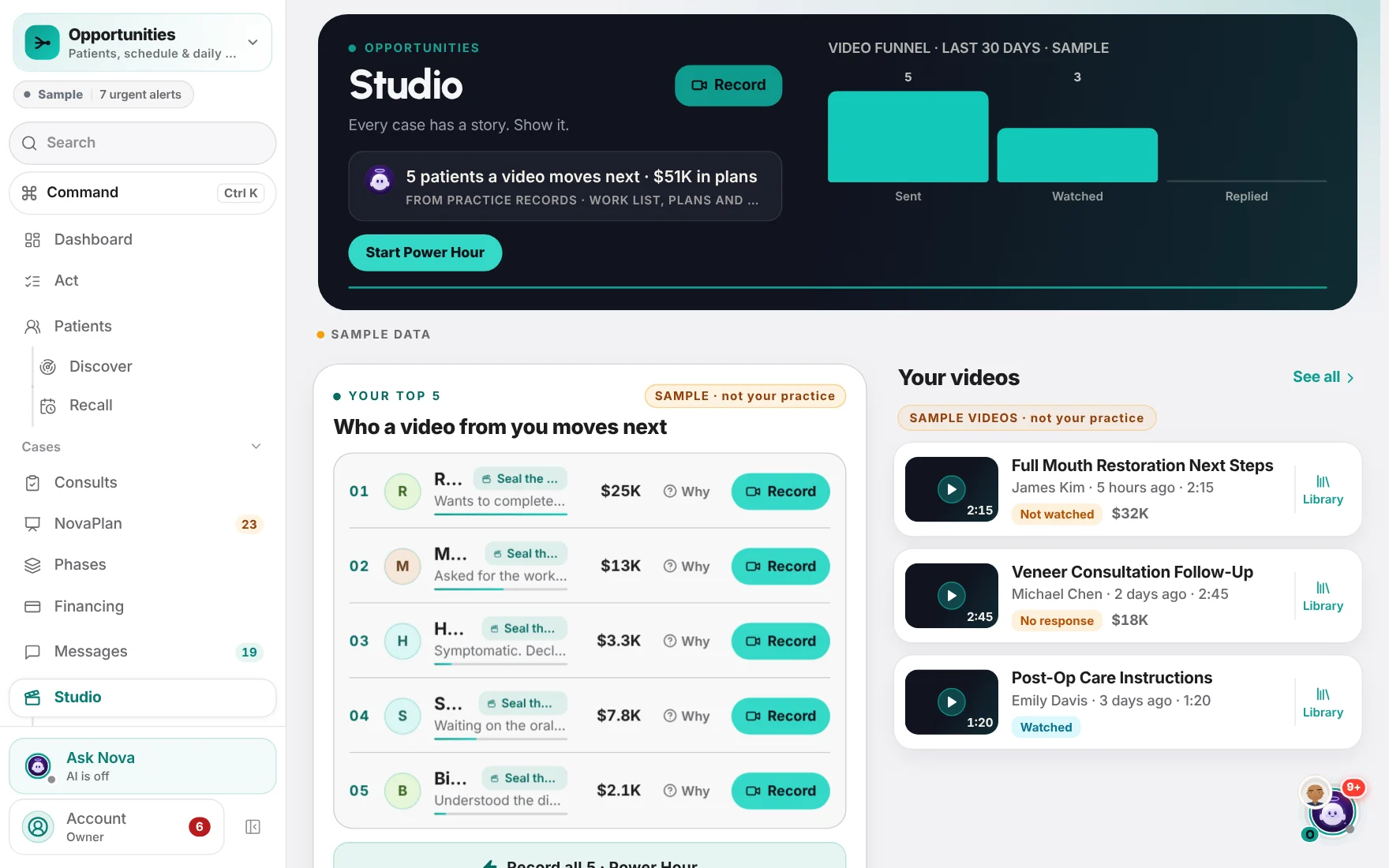
NovaDental Studio with sample data: record a video, the top five patients a video would move, and the practice's recent videos.

NovaDental, shown with demo data

See it

The doctor, on camera.

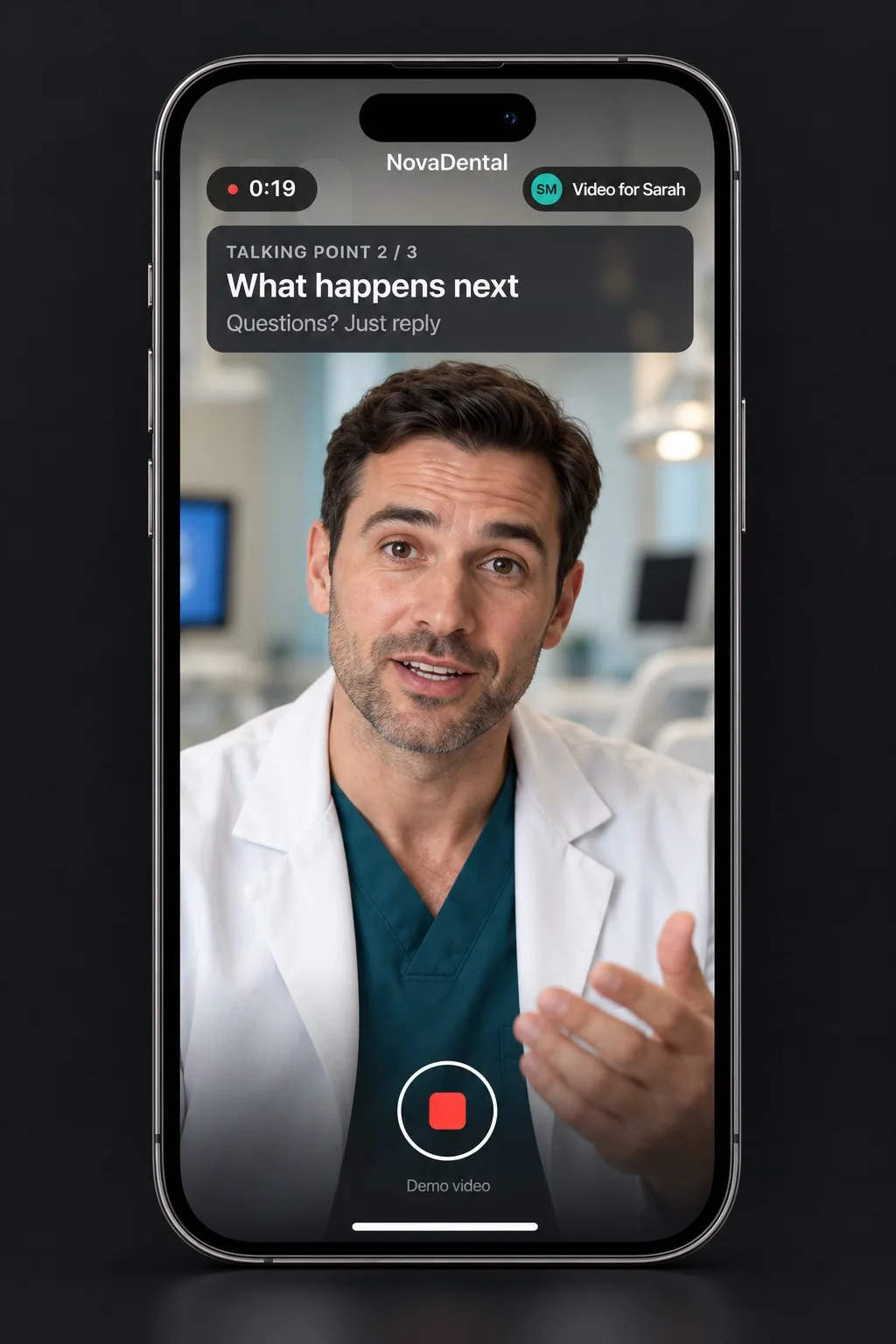
A dentist recording a quick video to the phone's camera for one patient. On screen: the timer, "Video for Sarah", and talking point 2 / 3: What happens next.
Quick video · the doctor, to one patientExample · demo case

Why a personal video helps case acceptance.

They decide at home.
Patients forget much of what they hear in the chair, and they often decide later — at home, with someone they trust.
Their own case, in your voice.
A video from their own doctor, on their own X-rays and photos, is something they can watch again and show to whoever helps them decide.
The questions from the car, answered.
Why this tooth, why now, what happens next — answered in the video, before they have to call.
Follow up at the right moment.
The practice sees who watched, so the follow-up call comes while the case is still fresh.
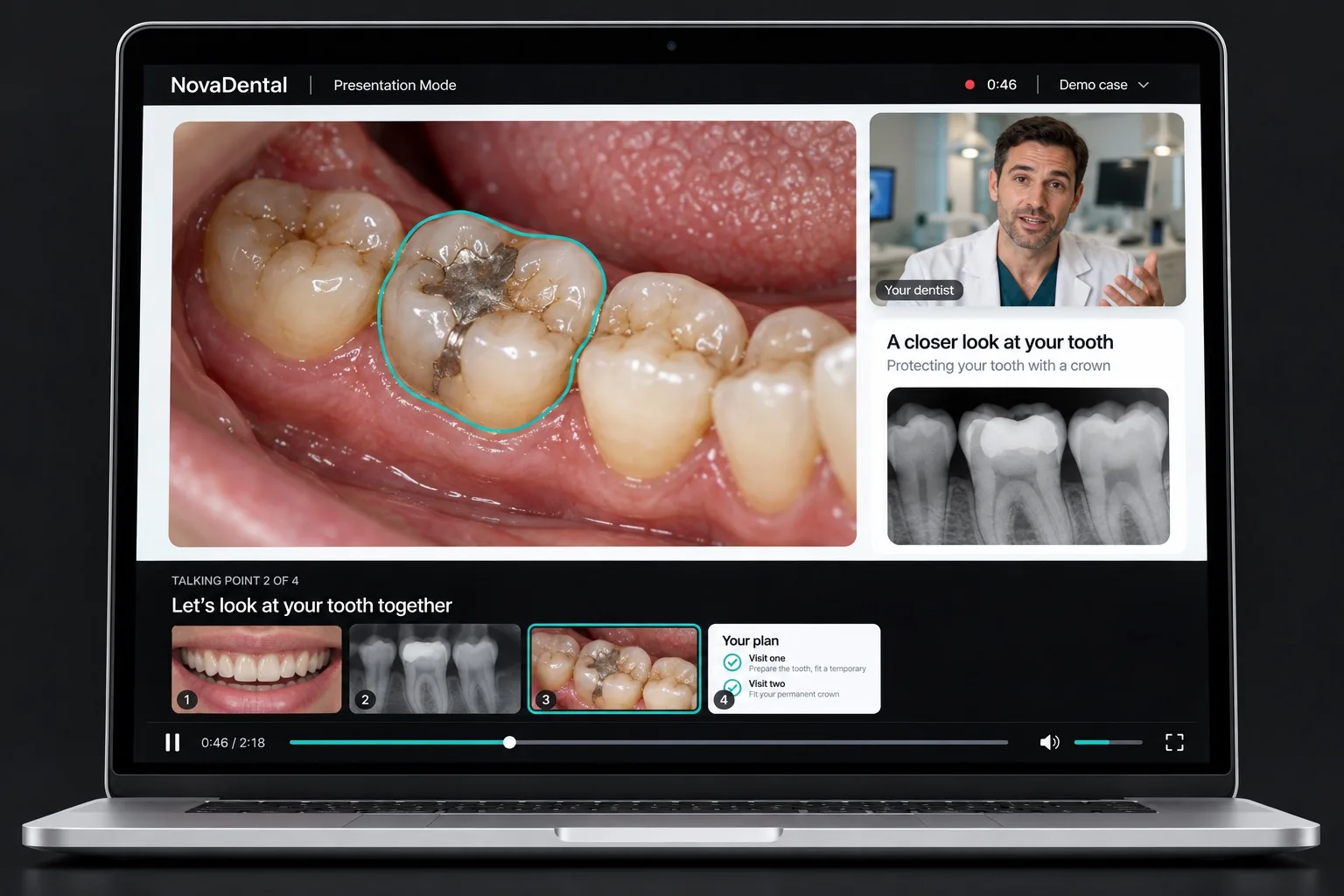
Presentation Mode on a laptop: the patient's own photo with the tooth outlined, the dentist's camera in the corner, the X-ray beside it, and talking point 2 of 4 above the strip of slides.
Presentation Mode · their own X-rays and photos, the doctor's voiceExample · demo case
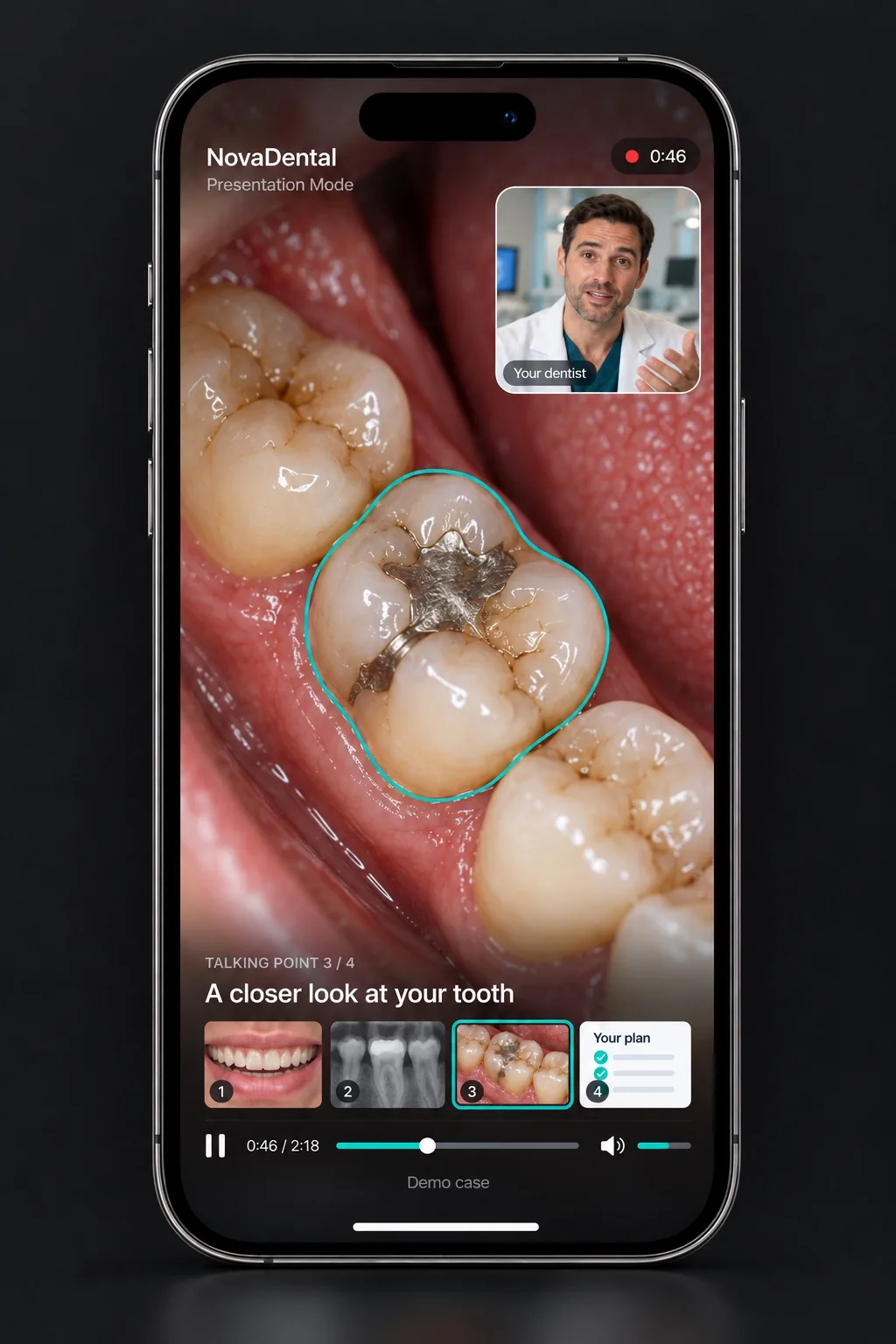
The finished video on the patient's phone: their own photo with the tooth outlined, the dentist in the corner, and the slides to watch again.
The finished video · watched on the patient's phoneExample · demo case

What it does

Record it once. Send it privately.

Your Top 5

The five patients most worth a video today, one tap to record.

Presentation Mode

Narrate over the patient's own X-rays and photos, with your camera in the corner.

Power Hour

Record all five back to back.

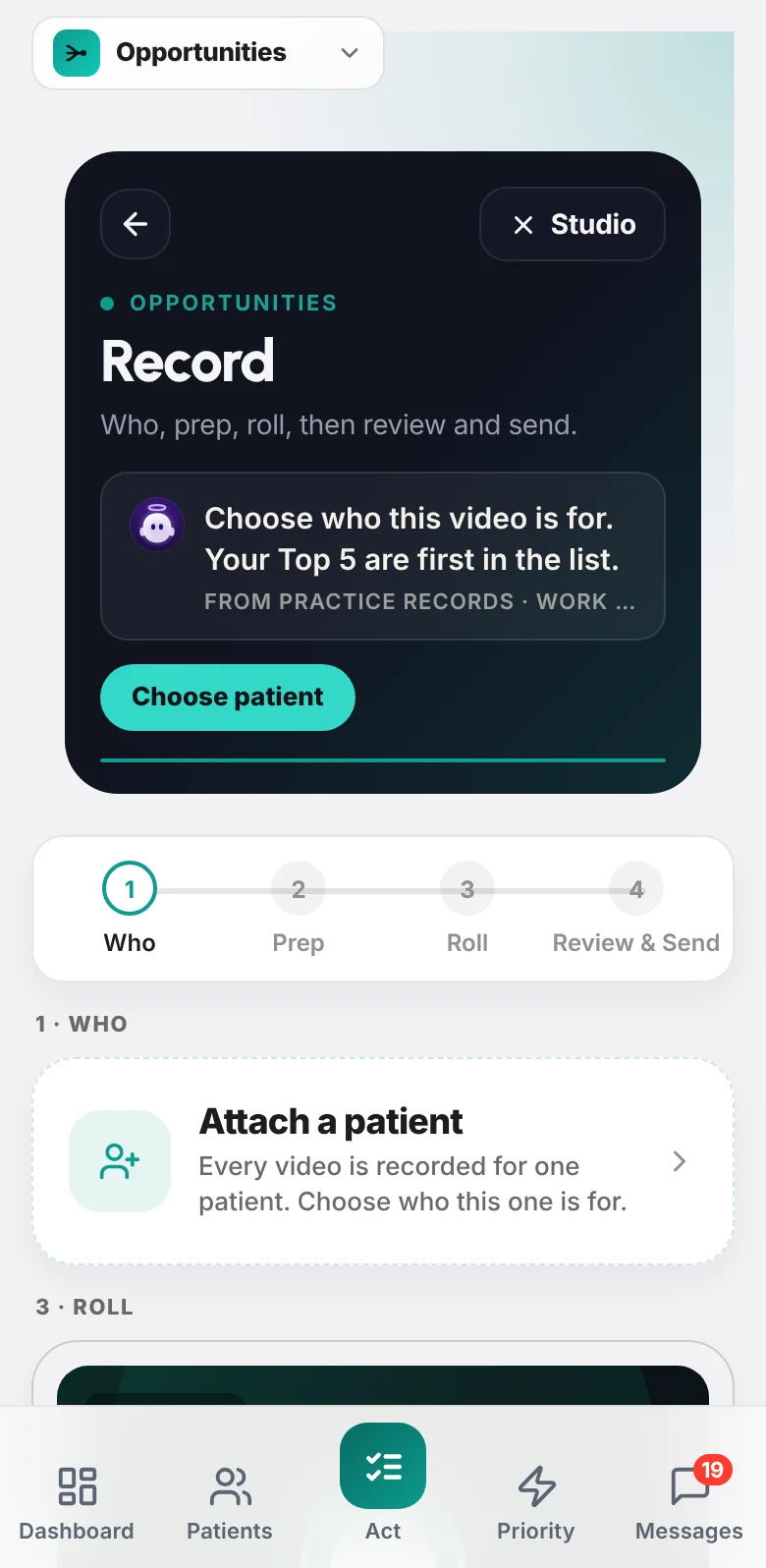
Four steps: Who, Prep, Roll, Review & Send

Pick the patient, prep, record with auto-stop, review, send.

Warm right now

Videos your patients just watched, while the conversation is fresh.

Case prep

An opener, the likely concern and how to close, chosen for the case.

NovaDental Record on a phone: who, prep, roll, then review and send — attach a patient, choose a purpose, and write your own talking points.

NovaDental, shown with demo data

Also in Studio

A private watch page
One tap for the patient: the doctor, by name, and a clear replay.

Recording

Their images. Your voice.

Pull in the patient's own images, mark up what matters, and walk them through it image by image — talking points on screen, a countdown and auto-stop.

  • Their X-rays and photos
  • Mark up what matters
  • Talking points on screen

Sending

A private link, just for them.

Each link is made for one patient, expires on a schedule the practice sets, and can be revoked at any time. The practice sees it land: opened, watched part, watched to the end. Sending to patients switches on once the practice connects its Twilio texting account and sets up video storage.

  • Link only — never the file
  • Consent checked at send
  • Expiring by design

Made for Doctors · Treatment coordinators

See it with your practice in mind.

A conversation with a person, not a sales script — and an honest answer about whether NovaDental fits your practice today.

What happens next

  1. Tell us about your practice

    Your role, your system and what you'd like to see.

  2. We prepare around your practice

    A person shapes it around your systems and your questions.

  3. A short, honest conversation

    The product, your questions, and a plain answer on fit.